

You can build a cheap gaming setup for under five hundred dollars that plays games like Fortnite and Valorant smoothly. You do not need to spend thousands of dollars on high end parts to get great frames per second. A smart setup gets you in the game today without breaking your bank account.
The secret is buying used office computers and adding a modern budget graphics card to them. Pair that machine with a high refresh rate monitor, a light wired mouse, and a basic mechanical keyboard. You get awesome performance for a tiny fraction of the cost of a custom PC build.
Start with a Refurbished Office PC
The smartest trick for a cheap PC setup starts on eBay or Amazon. Big companies sell off hundreds of old office computers every single month. Models like the Dell OptiPlex 7010 or HP EliteDesk 800 are packed with fast processors that still handle gaming well. Look for an Intel Core i5 or i7 chip with at least 16 gigabytes of memory.
You can often grab one of these desktop towers for around one hundred and fifty dollars. Make sure you buy a full size mini tower, not a small form factor case. Small cases limit the size of the graphics card you can install later. These sturdy office machines were built to run all day in offices, so they last for years in your room.
Before buying, check the exact processor model inside the box. An Intel Core i5 four thousand series or higher gives you plenty of speed for modern titles. You get four real cores that process game instructions fast enough to prevent annoying hitches during intense firefights. Check out our main gaming tips and computer setup guides to see how different parts work together.
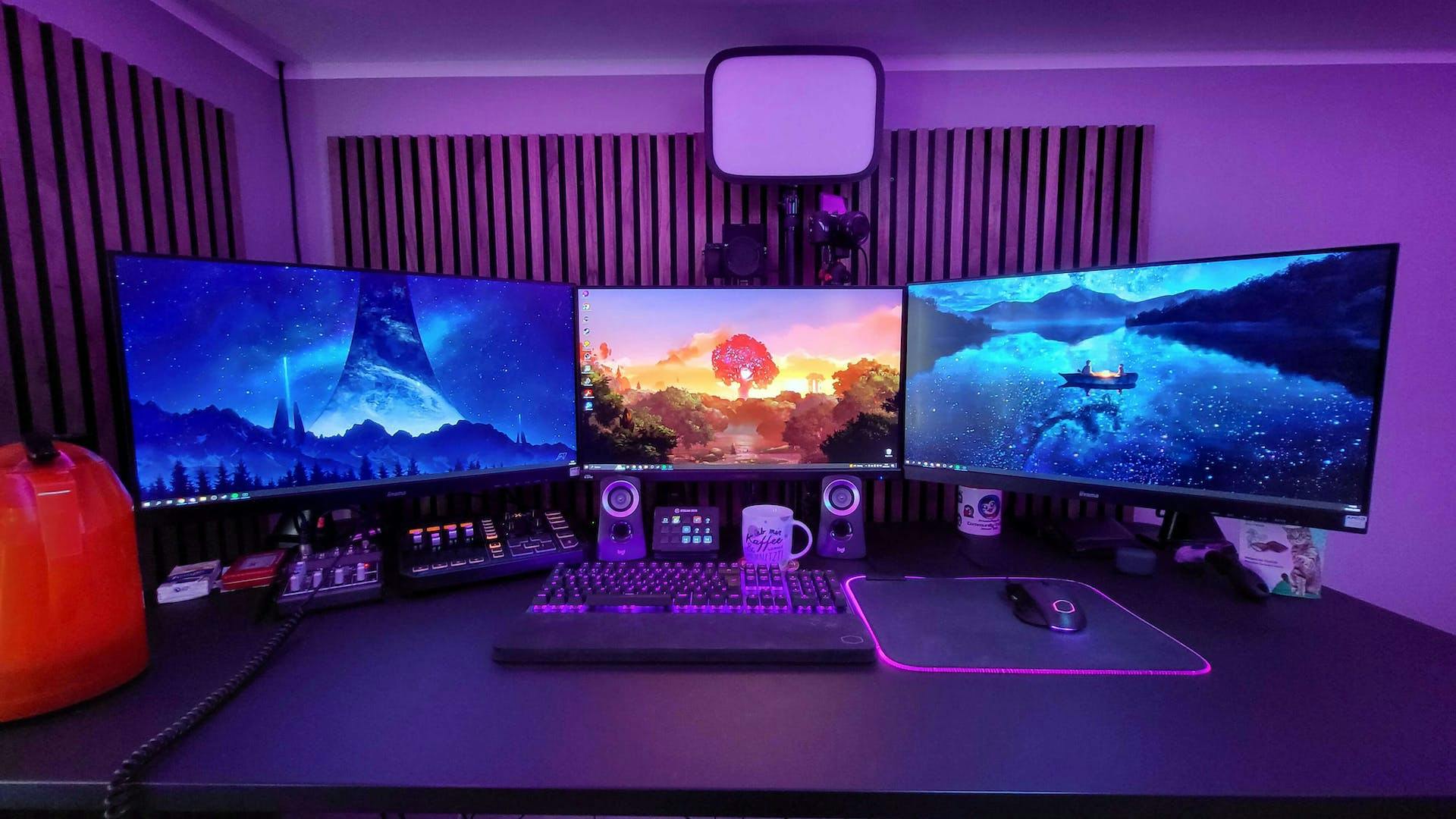
Add the Right Cheap Graphics Card
An office computer cannot play heavy games on its own integrated chip. You need a dedicated graphics card to handle the 3D visuals. The best low cost cards right now are the Nvidia GTX 1650 or the AMD Radeon RX 6400. You can find these cards for around one hundred to one hundred and thirty dollars online.
These specific cards are great because they plug straight into the motherboard slot without needing extra power cables from the power supply. They pull all their power right through the board. You just open the side panel, click the card into the long slot, plug your monitor into it, and install the new software drivers.
With a GTX 1650 installed, your budget machine can pull over one hundred frames per second in competitive titles. Apex Legends and Rocket League run at smooth frame rates on medium settings at 1080p resolution. You get the fast performance you need to win matches without spending extra money on a massive new power supply.
Pick a Fast Gaming Monitor
Do not plug a budget gaming PC into a standard sixty hertz office monitor or an old television set. TV screens have terrible input delay that makes your mouse feel heavy and slow. You want a 1080p gaming monitor with at least a one hundred and forty four hertz refresh rate. A gaming computer needs a proper screen to show every frame it makes.
A fast monitor updates the image on your screen one hundred and forty four times every second. This makes target motion look super smooth compared to standard screens. You can spot enemy players faster when you turn your camera quickly. Good budget monitors from brands like AOC, Acer, or ViewSonic sell for around one hundred and ten dollars now.
Look for screens that use IPS panel tech so your colors stay bright and crisp. Make sure the screen lists a one millisecond response time to eliminate motion blur. Connecting your monitor with a DisplayPort cable instead of an old HDMI cable unlocks the full high refresh rate immediately.
Get Budget Accessories That Actually Work
Never buy cheap random office mice for aim heavy shooter games. You need a gaming mouse with a proper optical sensor that tracks quick arm movements without spinning out. The Logitech G203 and the Razer Viper Mini are legendary budget mice that cost under thirty dollars. They weigh very little, fit comfortable in your hand, and track your shots perfectly.
Pair your mouse with a large cloth desk mat that costs around ten dollars online. A big mousepad lets you play on low sensitivity so you can aim with your whole arm instead of just your wrist. Strong physical habits matter just as much as your gear when training for top gaming performance, similar to staying fit with a 5 Moves for the Best Chest Workout in the Gym routine.
For your audio, buy a wired stereo gaming headset like the HyperX Cloud Stinger or Redragon H510. Cheap surround sound effects often muddy the game sound and make directional cues hard to place. A clean stereo headset lets you hear enemy footsteps clearly through walls in games like Counter-Strike. Solid wired gear eliminates battery charging hassle completely.
How Much Does a Cheap Setup Cost?
Building this entire setup keeps your total spending low while giving you top performance. Here is how a real budget breaks down when shopping online:
- Refurbished Intel Core i5 Desktop PC: $150
- Nvidia GTX 1650 Graphics Card: $120
- 144Hz 1080p Gaming Monitor: $110
- Logitech G203 Gaming Mouse: $25
- Redragon Mechanical Keyboard: $30
- HyperX Cloud Stinger Headset: $30
- Large Cloth Mousepad: $10
The total cost comes out right around four hundred and seventy-five dollars. That buys you a complete desktop gaming rig, screen, and all your gear. It performs far better than buying a cheap pre-built office desktop from a local retail store.
This entry level system gives you a perfect path for future upgrades too. You can add a faster solid state drive later to load your games in seconds. You can also swap out the RAM or upgrade your headset whenever you save up extra cash.
Set Up Your Desk for Easy Wins
Where you place your computer gear makes a huge difference in how comfortable you feel during long play sessions. Place your desktop computer tower on top of your desk or on a hard wooden stand. Putting your PC directly on a soft carpet blocks airflow and pulls dust into the cooling fans.
Keep your screen directly at eye level so you do not tilt your neck down while playing. Sit back in a sturdy chair with your feet flat on the floor. Keep your mouse elbow resting comfortably on your armrest or desk surface at a clean ninety degree angle.
Plug your computer straight into your internet router with a cheap Ethernet cable instead of using basic Wi-Fi cards. A wired network connection stops sudden lag spikes during competitive online matches. You get lower ping times and zero dropped data packets during big fights.
Keep Your Setup Fast and Clean
Once your computer is plugged in, take ten minutes to clean up your software settings. Open your graphics card control panel and set your power management mode to maximum performance. Turn off background apps like web browsers while playing heavy competitive games to free up system memory.
Open your Windows display settings and double check that your screen is actually running at its full refresh rate. Many new players plug in a fast monitor but leave Windows set to sixty hertz by mistake. Change the dropdown menu to your highest available refresh rate right away.
Clean dust out of your computer case every few months using a simple can of compressed air. Dust buildup traps heat inside your case and forces your hardware to slow itself down. Keeping your fans clean keeps your frame rates high and extends the life of your hardware.
Building a great gaming setup does not require taking out a massive loan or saving up cash for years. Grab a cheap office desktop tower, add a budget graphics card, and plug in a fast screen. What game are you going to install first on your new budget setup?
Post a Comment