

Lag and frame drops can ruin your match when you are about to win. Getting the best settings for smooth mobile gaming means making your phone work for you, not against you. Most players lose because their screen stutters right as they pull the trigger.
To fix this, you need to lower your graphics, turn up your frame rate, and clear out your phone memory. A phone that stays cool and fast will always beat a phone that looks pretty but runs slow. If you want to climb the ranks, speed is your best friend. Every millisecond counts when you play fast games like shooters or racing titles.
Lower your graphics for better speed
Most mobile games try to look like console games today. They use high textures, shadows, and water reflections that eat up your battery and heat up your chip. While a video game looks amazing on ultra settings, it often causes your frames to drop during big fights. If three players throw grenades at once, your phone might freeze for a second. That second is usually when you die.
Set your graphics to Low or Smooth. This might make the grass look a bit blurry, but it makes your movement feel like butter. You will notice that your aim feels more snappy because the phone does not have to draw every single leaf on a tree. Many pro players actually prefer low graphics because it makes enemies stand out more against the background. Without shadows and extra clutter, you can spot a player hiding in a corner much faster.
Disable features like anti-aliasing. This setting smooths out jagged edges on objects, but it is very heavy on your processor. Turning it off keeps your device cool for longer play sessions. Check out these tips for smooth mobile gaming to see how different game engines handle these changes. You want your phone to stay cool so it does not throttle your speed halfway through a match.
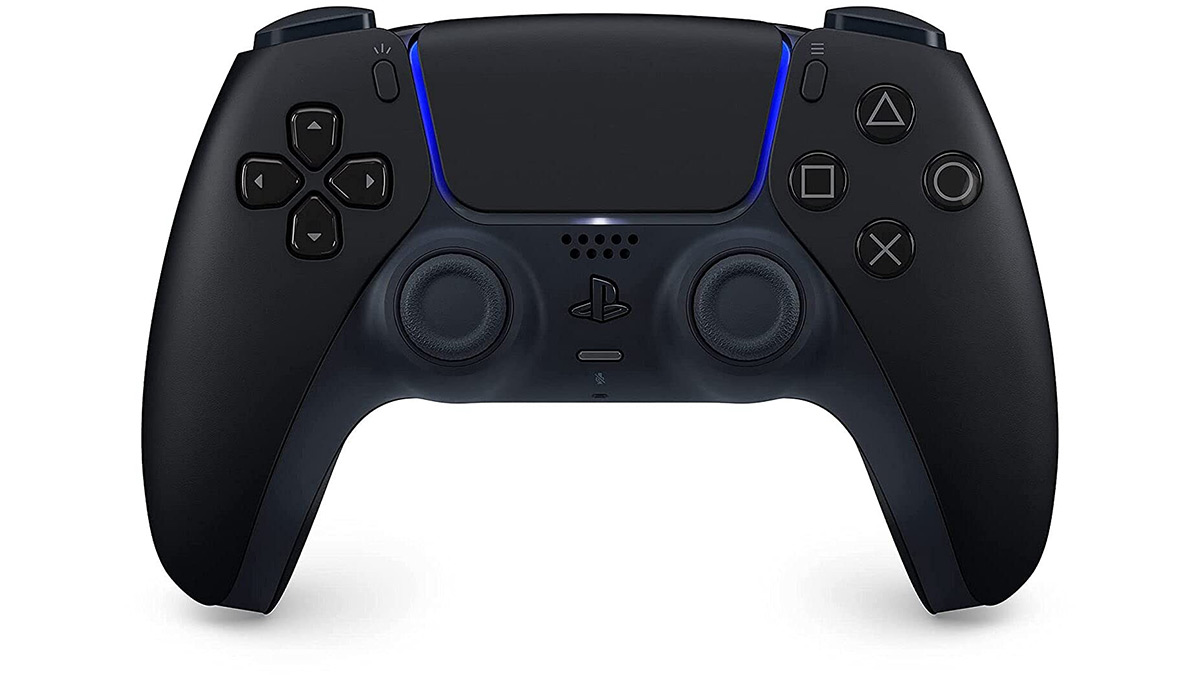
Max out your frame rate
If there is one setting you must change, it is the frame rate. In most games, this is called FPS or Frame Rate, and you should set it to the highest option available. Whether it is called Extreme, Ultra, or 90FPS, pick the top one. A higher frame rate makes the game update more times per second. This gives you a smoother view of the world and helps you react to enemy movement faster.
Think of it like a flipbook. If you have ten pages, the animation looks choppy. If you have sixty pages, it looks like real life. In competitive esports, players use high refresh rates to get an edge. Even on a budget phone, a high frame rate with low graphics is better than low frame rate with high graphics. It reduces input lag, which is the time between you touching the screen and your character moving.
If your phone gets too hot, the frame rate will drop automatically. This is called thermal throttling. To prevent this, play in a cool room or take your phone case off during long sessions. Some players even use small clip-on fans. Keeping the temperature down is just as important as the settings in the menu. A cool phone keeps its peak performance for hours.
Manage your background apps and data
Your phone is doing a lot of things while you play. It might be checking for emails, updating your social media feed, or downloading a system update. All these tasks use your RAM and your internet connection. If your ping spikes to 300ms, it is probably because another app is trying to use the web. Close every single app before you start your game. Do not just leave them in the background, actually swipe them away.
Turn on "Do Not Disturb" mode or a dedicated Gaming Mode if your phone has one. This blocks notifications that pop up and block your view. There is nothing worse than a random text message covering your mini-map during a final circle. Gaming modes also focus all the power of the phone onto the game itself. This helps maintain a steady flow of data and power to the app you are using.
Check your storage space too. A phone with a full hard drive runs slower than a phone with plenty of room. Try to keep at least 5GB or 10GB of space free. This gives the system room to swap files around quickly. Just like you might use a Push Pull Legs Split Explained Simply for Real Muscle Growth to organize your gym routine, you need to organize your phone storage to keep it strong. Delete old videos and apps you do not use anymore.
How to fix lag in mobile games?
People often ask how to fix lag when their internet seems fine. Sometimes the lag is not your Wi-Fi, it is your phone hardware struggling to keep up. Go into your developer options in the phone settings. You can find a setting called "Force 4x MSAA" or "Disable HW overlays." Be careful here, but usually, turning off overlays can give a small boost to how the screen draws images. It makes the GPU do all the work instead of sharing it with the CPU.
Another trick is to adjust your screen resolution. Some high-end phones let you change the screen from 1440p down to 1080p or even 720p. Lowering the resolution means the phone has millions of fewer pixels to move. This is a massive win for performance. The game will still look sharp on a small screen, but your frame rate will skyrocket. It is the best way to make an old phone feel like a new one.
Always use 5GHz Wi-Fi instead of 2.4GHz if your router supports it. The 5GHz band is faster and has less interference from things like microwaves or Bluetooth devices. If you are far from the router, move closer. Walls are the enemy of a good connection. If you are serious about winning, you can even buy an adapter to plug an ethernet cable directly into your phone. It sounds crazy, but it gives you a zero-lag connection that Wi-Fi cannot beat.
Adjust your sensitivity and controls
Smooth gaming is not just about the visuals, it is about how you control the character. If your sensitivity is too high, your aim will jitter. If it is too low, you cannot turn around fast enough when someone shoots you from behind. Spend ten minutes in the practice range. Try to keep your crosshair on a moving target while you move left and right. If you keep overshooting, turn the sensitivity down.
Customize your button layout. Most games let you move the fire button, the jump button, and the map. Use a "claw" grip if you can, which means using three or four fingers instead of just two thumbs. This allows you to jump, aim, and shoot all at the exact same time. It takes a few days to get used to, but it makes your gameplay much smoother because you are not waiting for your thumb to move between buttons.
Keep your screen clean. Finger oils and dust can make the glass sticky. This makes it hard to make small, precise movements with your aim. Use a microfiber cloth to wipe the screen before every session. Some players even use gaming finger sleeves. These little fabric covers for your thumbs make sure your slides are always perfect and never get stuck on the glass. It is a cheap way to feel more in control.
Make sure your battery is above 20 percent. Many phones enter a power-saving mode when the battery gets low. This mode cuts the processor speed in half to save juice. If you try to play a heavy game while your battery is red, you will see a lot of lag. Plug your phone in, but be careful of the heat. Charging while playing makes the phone very hot, which can lead back to that frame dropping problem we talked about earlier. Just like using a Push Pull Legs Split Explained Simply for Real Muscle Growth requires rest, your phone needs a break to cool down sometimes.
Smooth gaming is all about balance. You want the best speed without making the game look like a mess. Start with everything on low and slowly turn things up until you feel a tiny bit of lag. Then, take one step back. That is the sweet spot for your specific device. Every phone is different, so you have to test these steps yourself. Do you prefer a game that looks beautiful or a game that never lags?
Post a Comment